
Personal flight tracker vs global aviation radar — which one fits your needs?


If you’ve ever shown up to the wrong gate and felt your stomach drop, or failed to get an important update for a delayed flight while on spotty airport wifi, chances are you don’t want to relive those experiences. There are a lot of flight tracking apps out there. Trying to find the right one can distract you from preparing for your actual trip. You may have already used the popular app Flightradar24. Most likely you got all the information you needed, but Flightradar24 can be a little clunky for managing your own flight tracking needs. This is because Flightradar24 wasn’t designed to manage personal travel.
The best way to use Flightradar24 is exploring aviation activity or to delve into extensive data regarding flight tracking or a specific airport. Flightradar24 is the ideal app to track a flight operating in real time. Or to monitor airport arrival and departure disruptions, and monitor how major events impact global travel, such as large scale weather events or airspace restrictions and closures.
Compared to Flightradar24, Flights25 takes an alternative approach to flight tracking. It was designed to give users a much simpler, personalized approach to flight tracking. The intent of Flights25 is to help you stay organized and informed about your own trips, not the entire global aviation industry. Flights25 acts as your own personal, automatic flight tracker giving you relevant, real time notifications.
Flights25 was designed with notification features that keep you quickly informed without having to unlock your phone.
| App Feature | Flights25 | Flightradar24 |
|---|---|---|
| Delay notification | ✓ | Limited |
| Gate change alert | ✓ | Limited |
| SMS alerts | ✓ | ✗ |
| Aircraft swap alerts | ✓ | ✗ |
| Inbound aircraft alerts | ✓ | ✗ |
| Diversion alerts | ✓ | ✗ |
| Cancellation alerts | ✓ | ✗ |
When you need a simple and automatic way to track your flights, without any extra steps. Flights25 will help you:
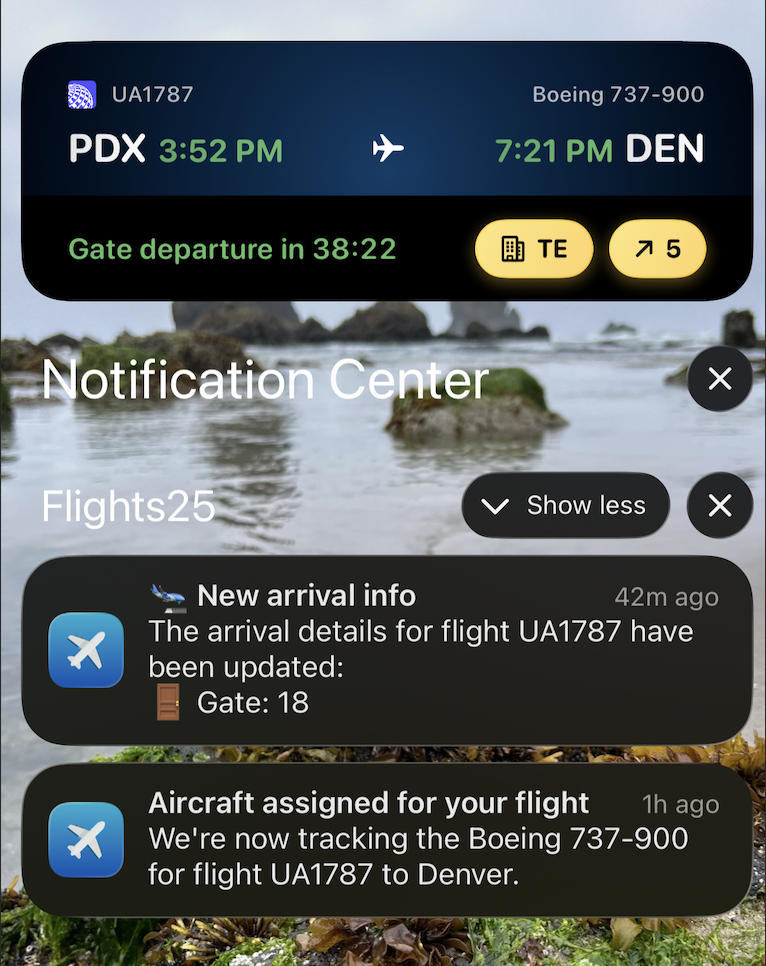
Aircraft tracking starts early, allowing for quick recognition of potential delays.
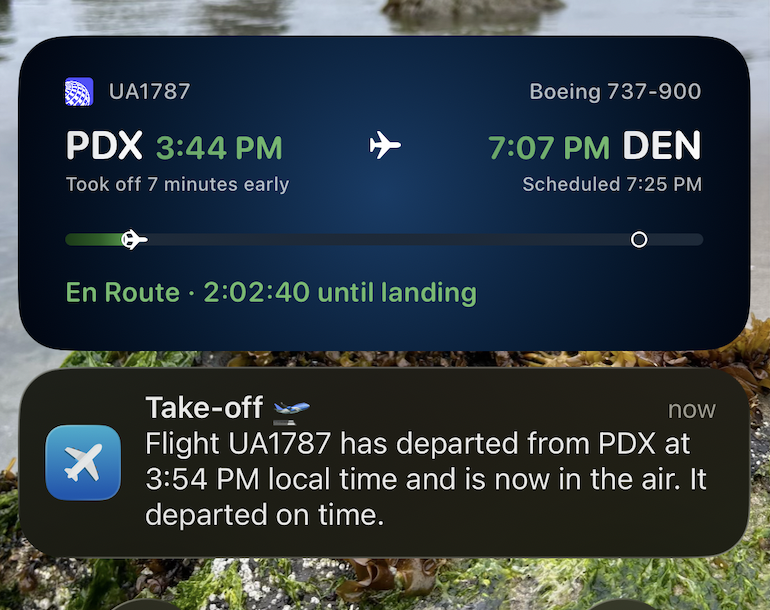
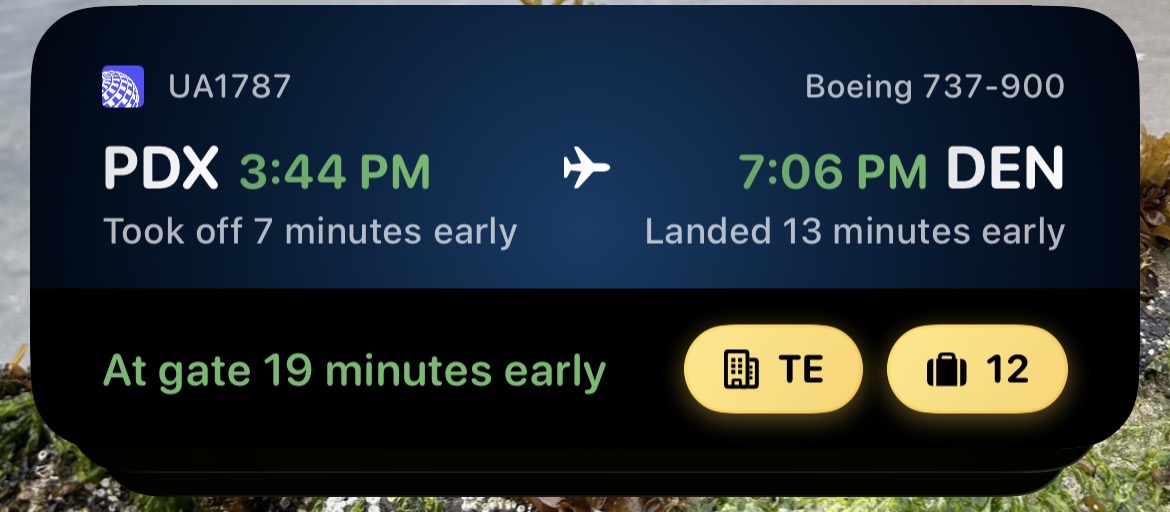
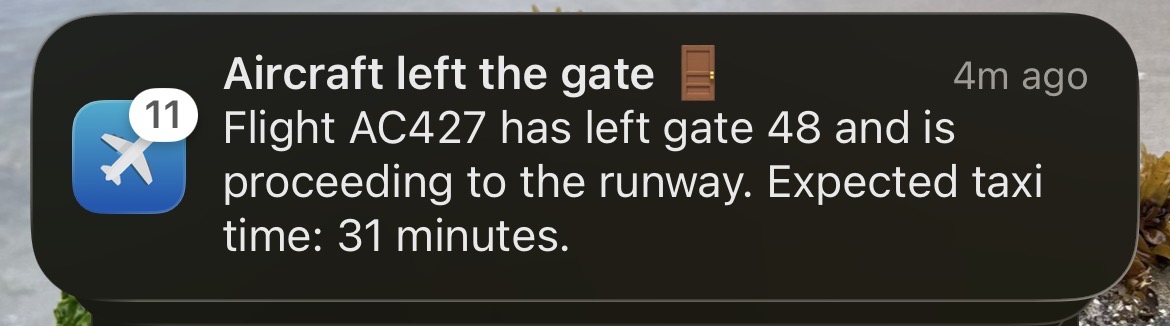
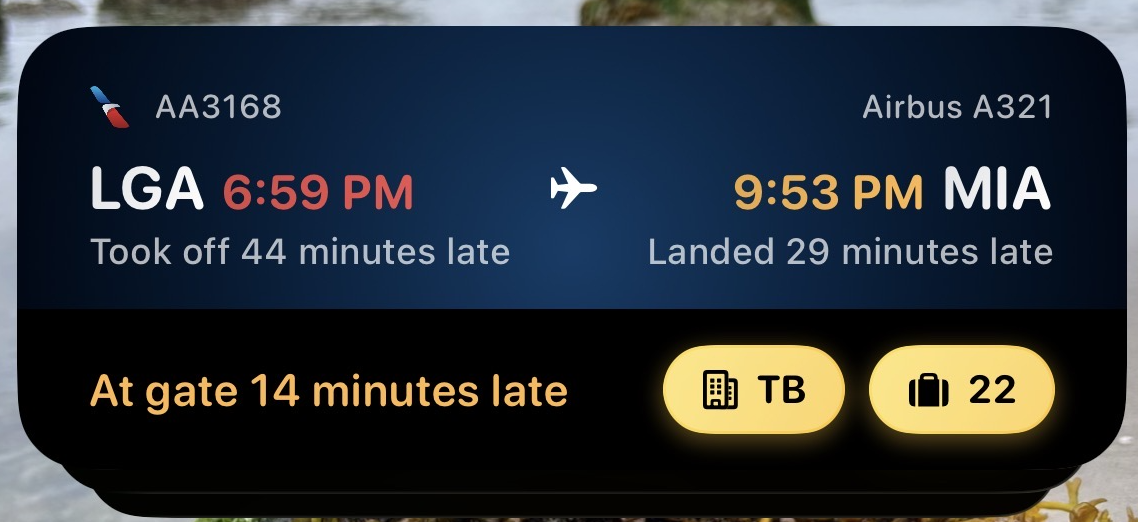
The biggest benefit of using Flights25 is that it keeps you updated without needing to open or refresh the app. On iOS, Live Activities display right on your lock screen. On Android, Live Progress provides the same real time updates. Regardless of your phone type, this feature gives you a quick view of your flight.
Live Activities & Live Progress show:
Yes, but each app serves a different purpose and role. Flights25 was explicitly designed and built to track your individual flight from start to finish. This includes inbound aircraft tracking, departure and arrival gate changes and delay notifications, right on your Lock Screen. Flightradar24 was built for users to explore global aviation activity, see the impacts of severe weather and airspace restrictions on traffic flow or to track a specific aircraft and see detailed live tracking over an interactive map.
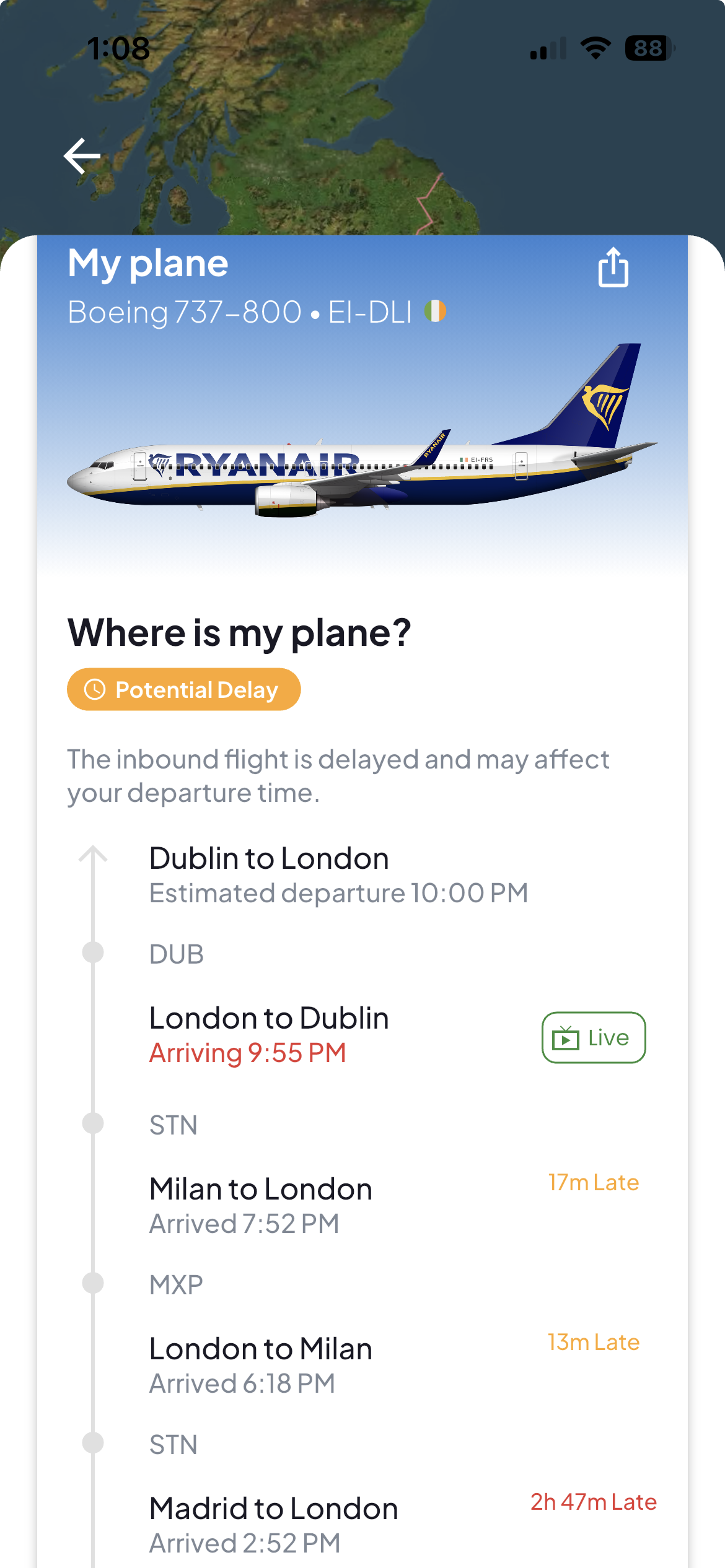
The biggest difference between these two apps appears with inbound aircraft tracking. Flights25 automatically tracks the inbound aircraft that will operate your flight. This allows users to quickly see where the aircraft is flying in from and to detect delays before they impact the scheduled departure time. When using Flights25, all of this information is available in one place, without requiring any extra steps to search for the inbound aircraft.
For most travelers, Flights25 is the most streamlined way to stay organized and informed about their trip. Flightradar24 is best used as a complementary tool to view aircraft live activity.
A significant difference between each app is where their data comes from.
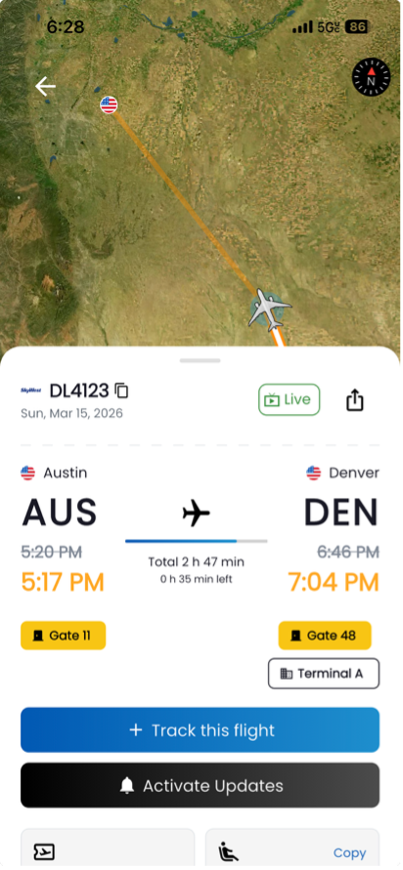
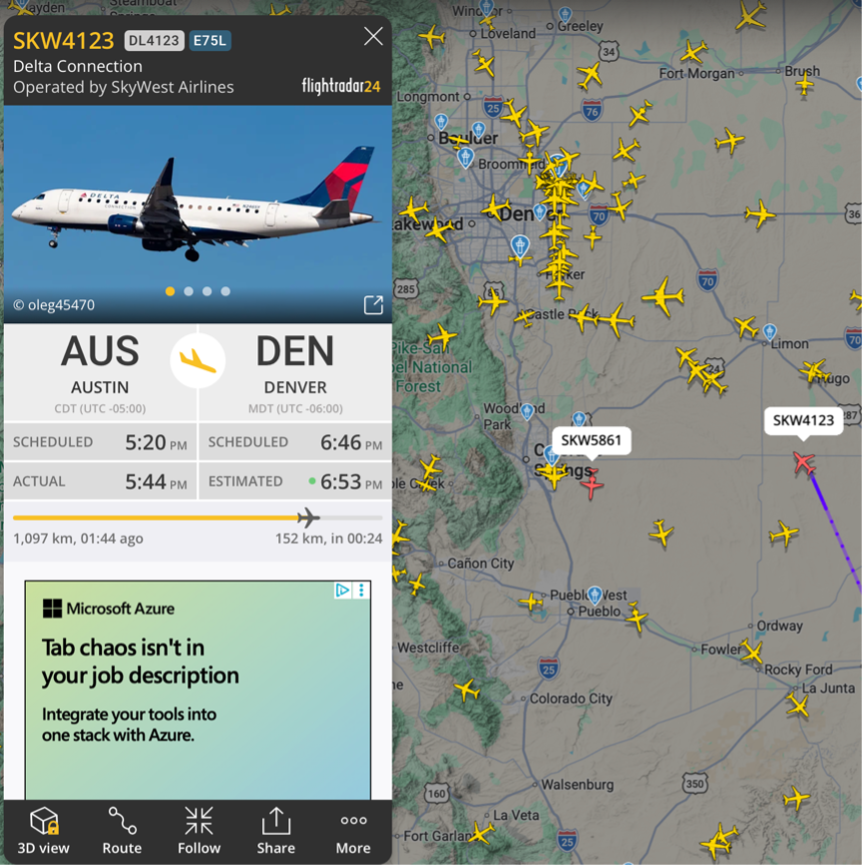
The difference in data compiling becomes especially noticeable when tracking delays. Often, Flights25 can display flight changes earlier and with more detail.
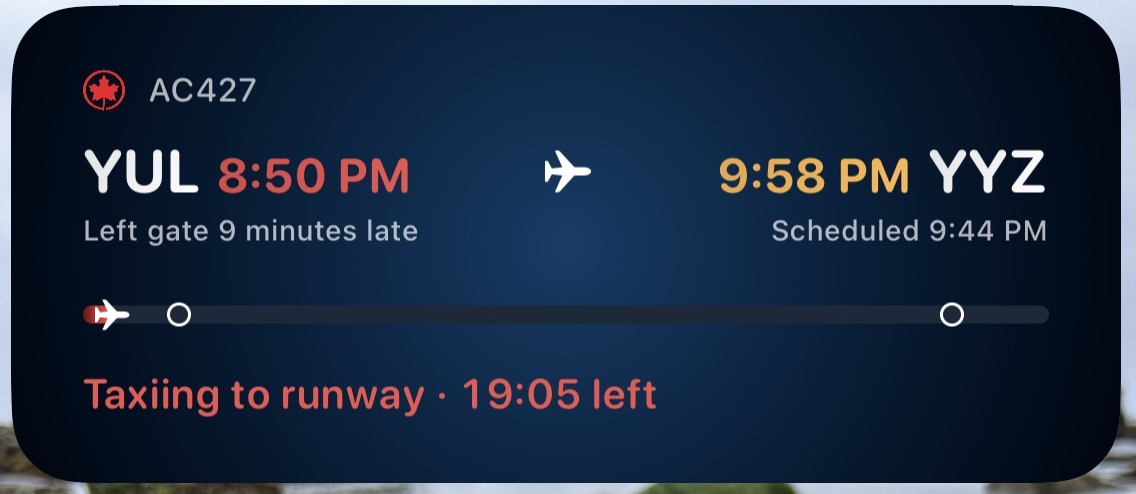
Flights25 displays detailed taxi time information, whereas Flightradar24 shows scheduled takeoff and landing times plus predictions for taxi times.
Below shows a comparison of Flights25 vs. Flightradar24 tracking DL4123 operating Austin to Denver. Flights25 was able to show a more accurate arrival time after factoring in a delay.
On Flights25 it is easy to access your Flight History log. This history shows your travel statistics and displays route visualization for completed flights. Compared to Flightradar24 which provides a limited route visualization.
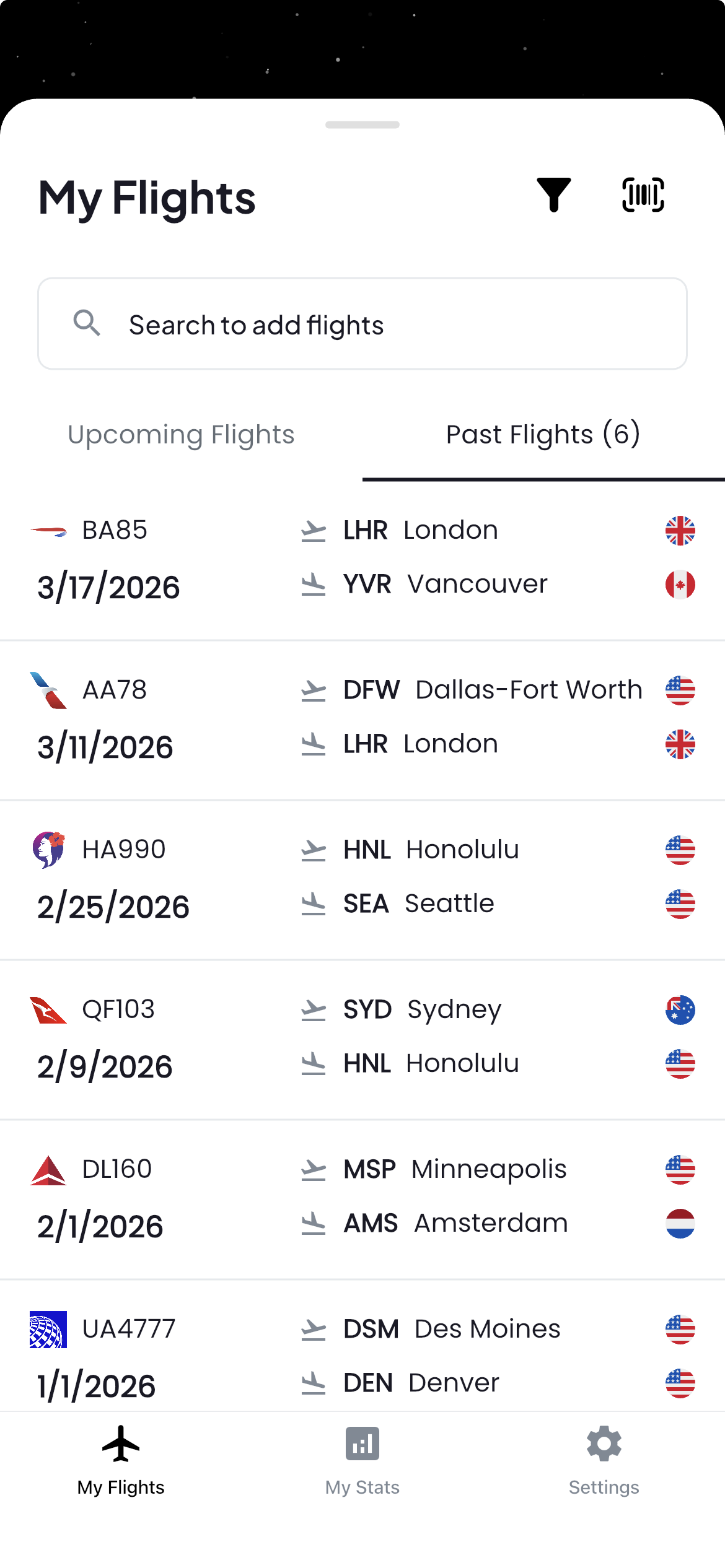
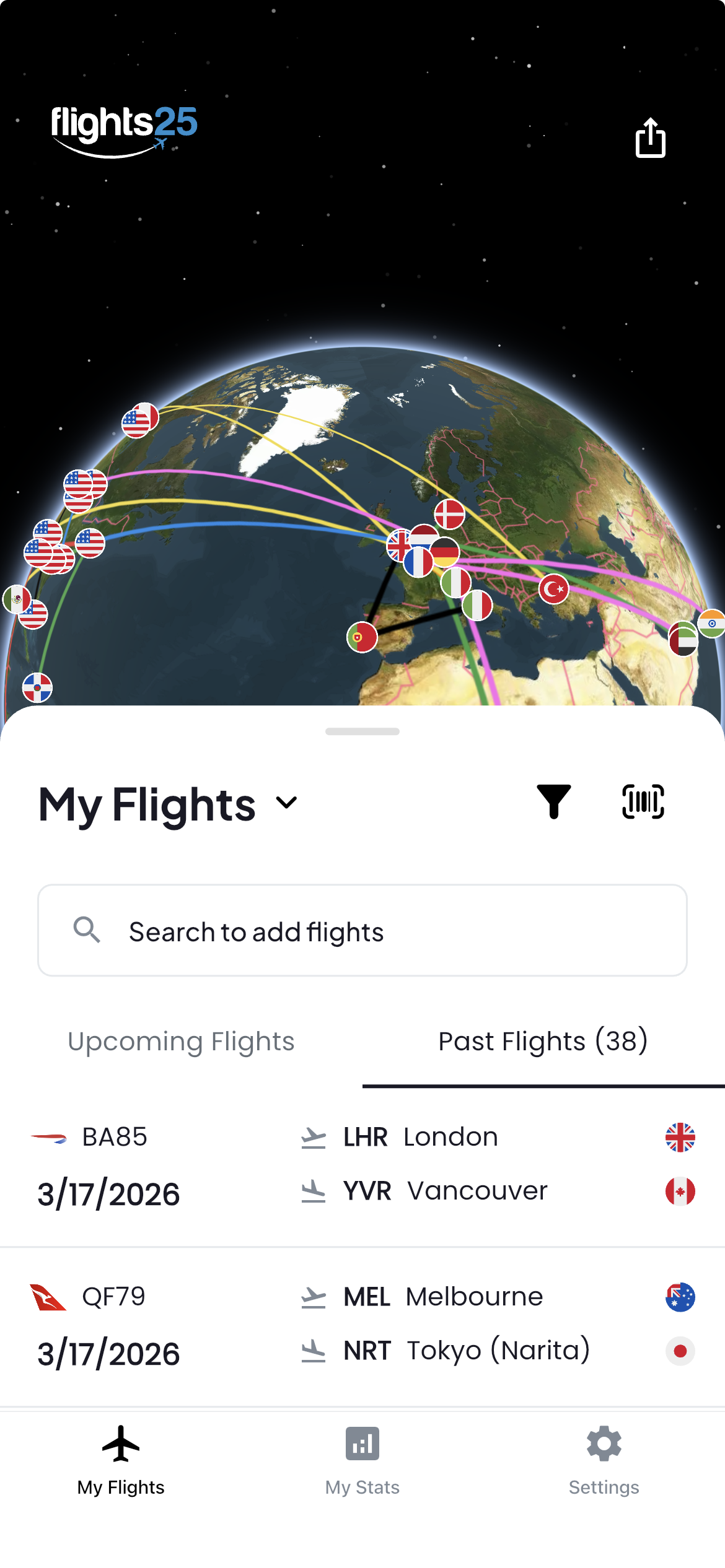
lights25 organizes your past flights by date for clear and easy access. Your flights can also be viewed on a global map. There is a manual addition option with historic flight information dating back to 2011.
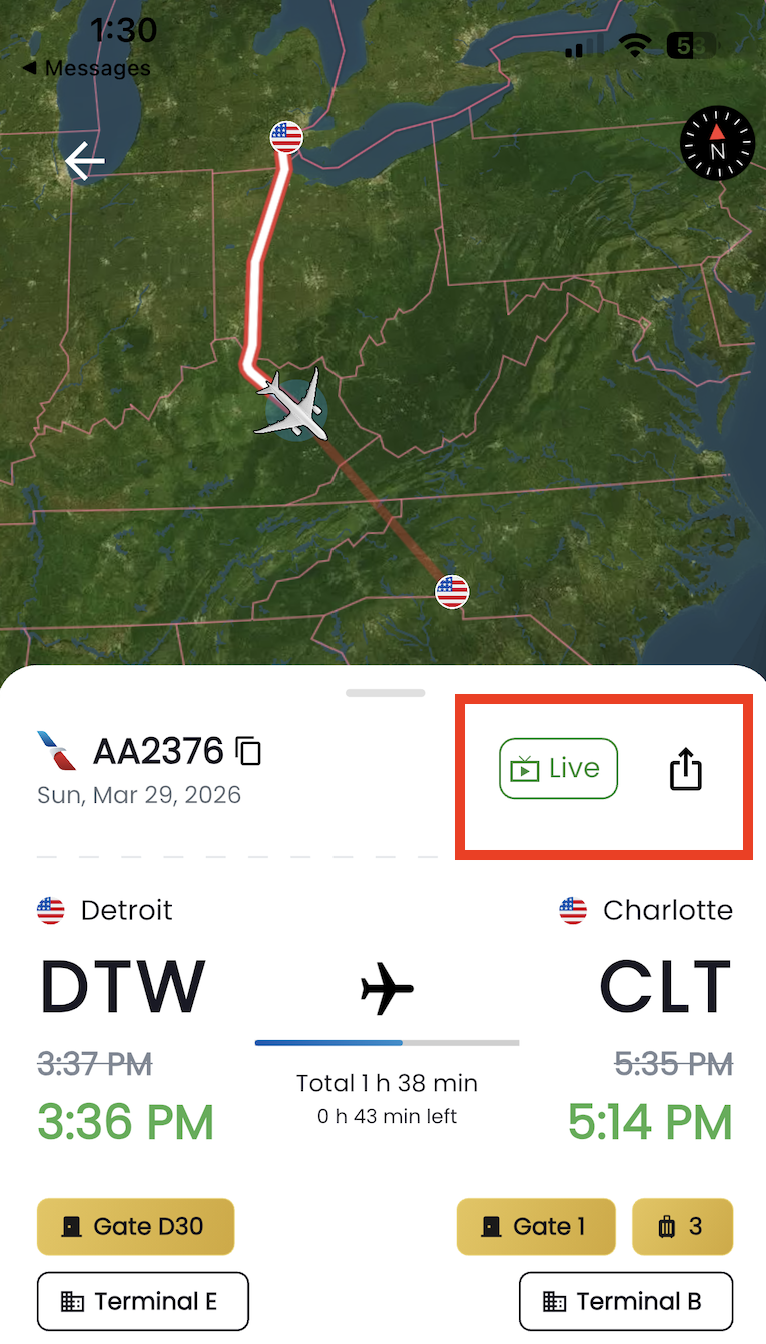
Flights25 shows a global view of your trips with an export feature to share on social media. Live flight tracking can be shared with friends and family ensuring they’re up to date on your departure and arrival times.
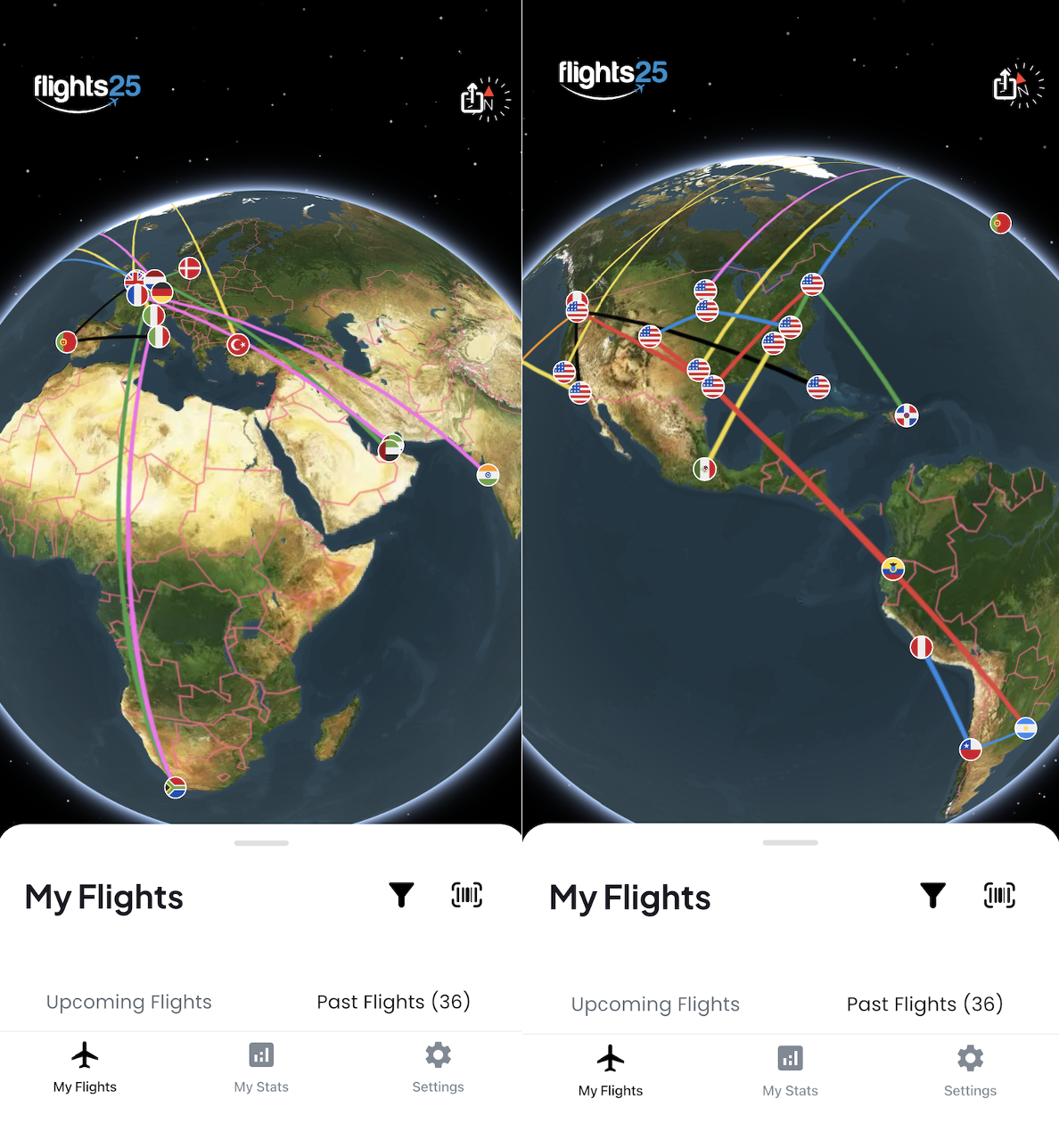
It is easy to reference where you have flown and how often. Flights25 keeps a complete record of your past trips.
You can view:
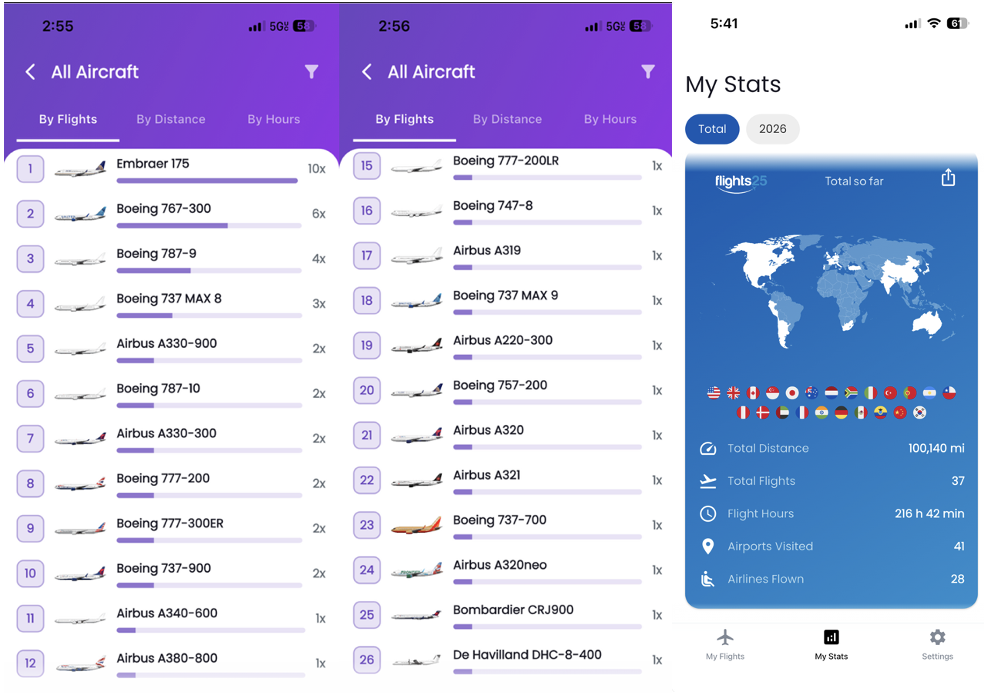
Your previous flight statistics break down the aircraft make and model, cumulative distances, airports and countries visited, most frequently flown routes and most frequented airline. These stats are shareable to social media.
There are three simple options to import your upcoming flights.
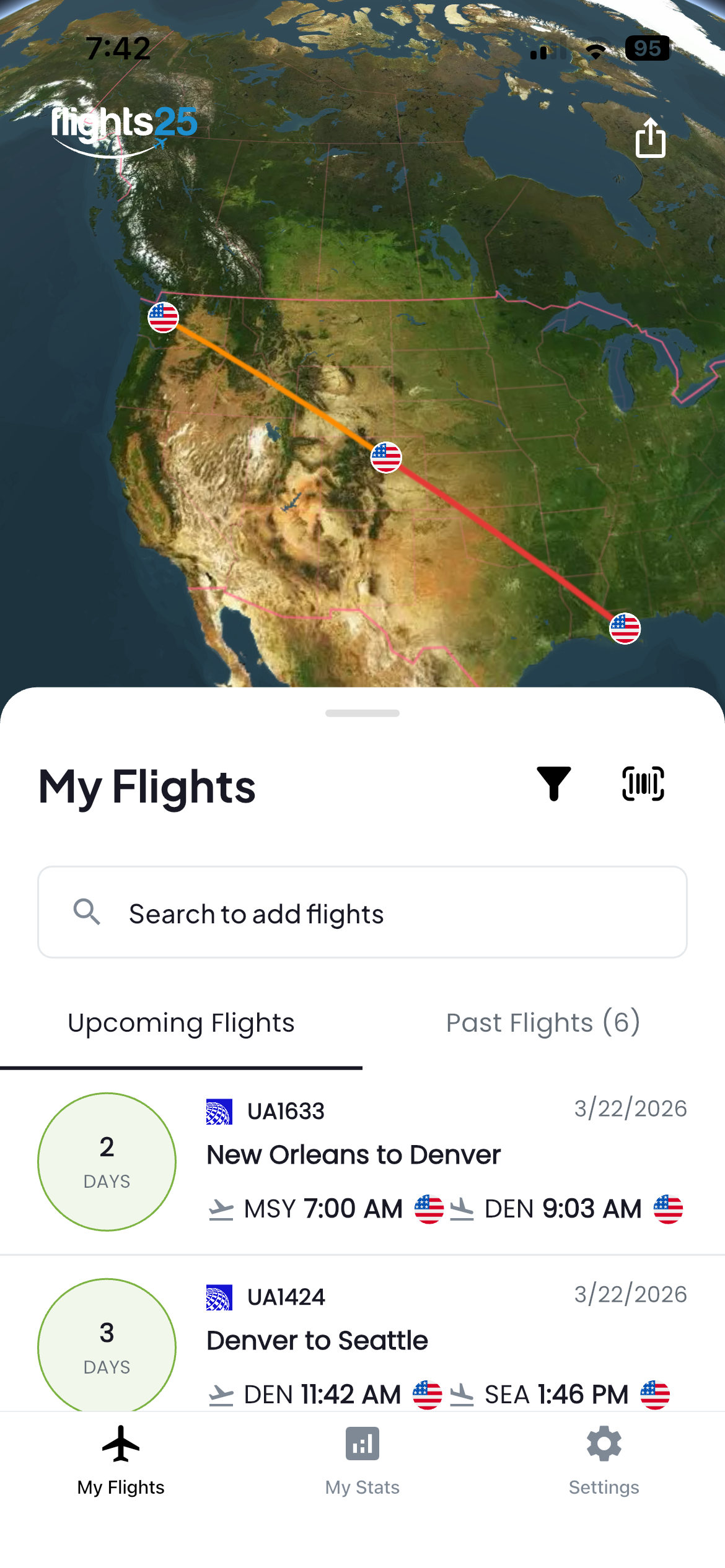
Imported flights will display in Upcoming Flights for easy access. Once your flight is complete, it will move over to Past Flights. Past Flights can be easily accessed displaying actual departure and arrival times, total flight time, distances, gate information and aircraft type.
Flights25 shows aircraft liveries in the ‘Where is my plane?’ view, giving you a clearer visual of the aircraft and airline operating your flight.
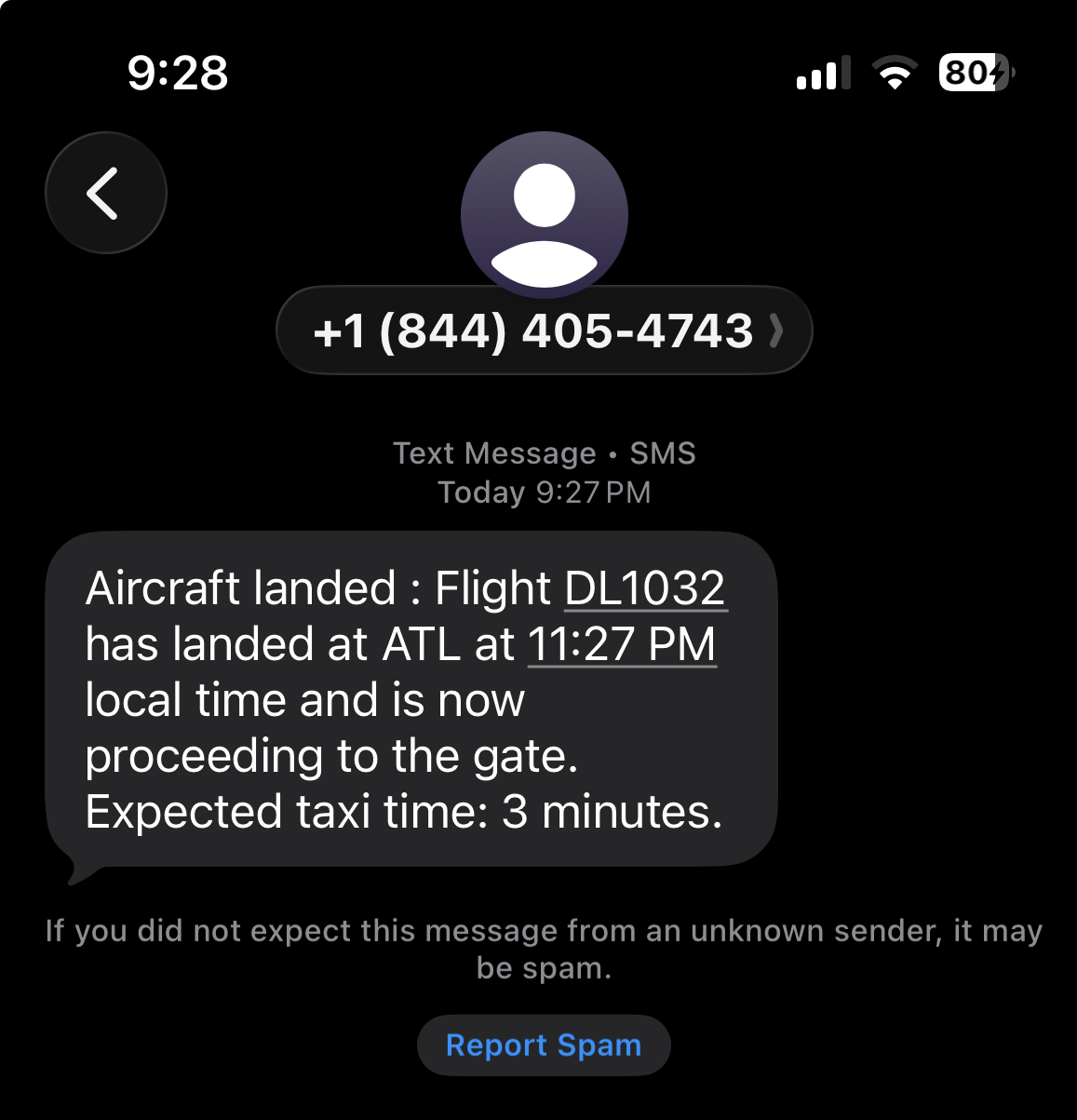
One of the best features of Flights25 is SMS alerts. Offline SMS alerts ensure that users are never left out of the loop just because wifi isn’t available.
If your needs are straightforward flight tracking with hands-off notifications, then Flights25 can absolutely be an alternative. Flights25 is best used with the intention of personal flight management. Comparing the apps side by side is difficult because each app was designed and built for specific uses. Flights25 is specifically for you to track your own flights, without any extra hassle.
For ease of use, the best app to track your flights is Flights25. It was designed precisely for personal flight updates and tracking. With an easy option to sync flights, automatic flight tracking, real time notifications and a travel log all in one place. Flights25 also includes light and dark mode and does not show ads in the free version.
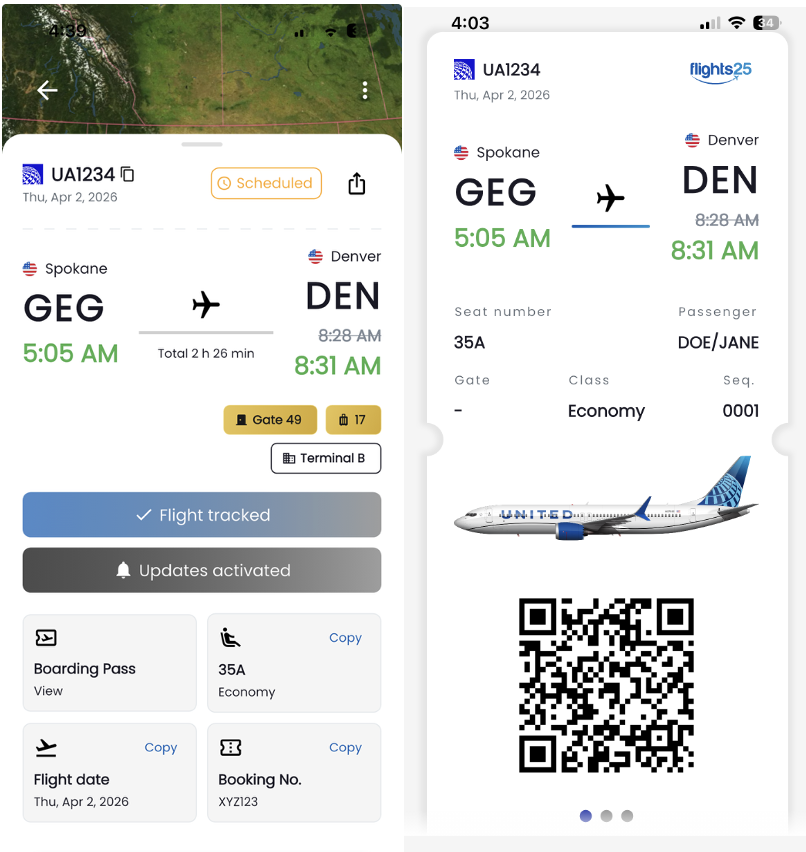
Access all your necessary flight information, right in one spot.
Flights25 displays check-in information and lets you store necessary travel details like:
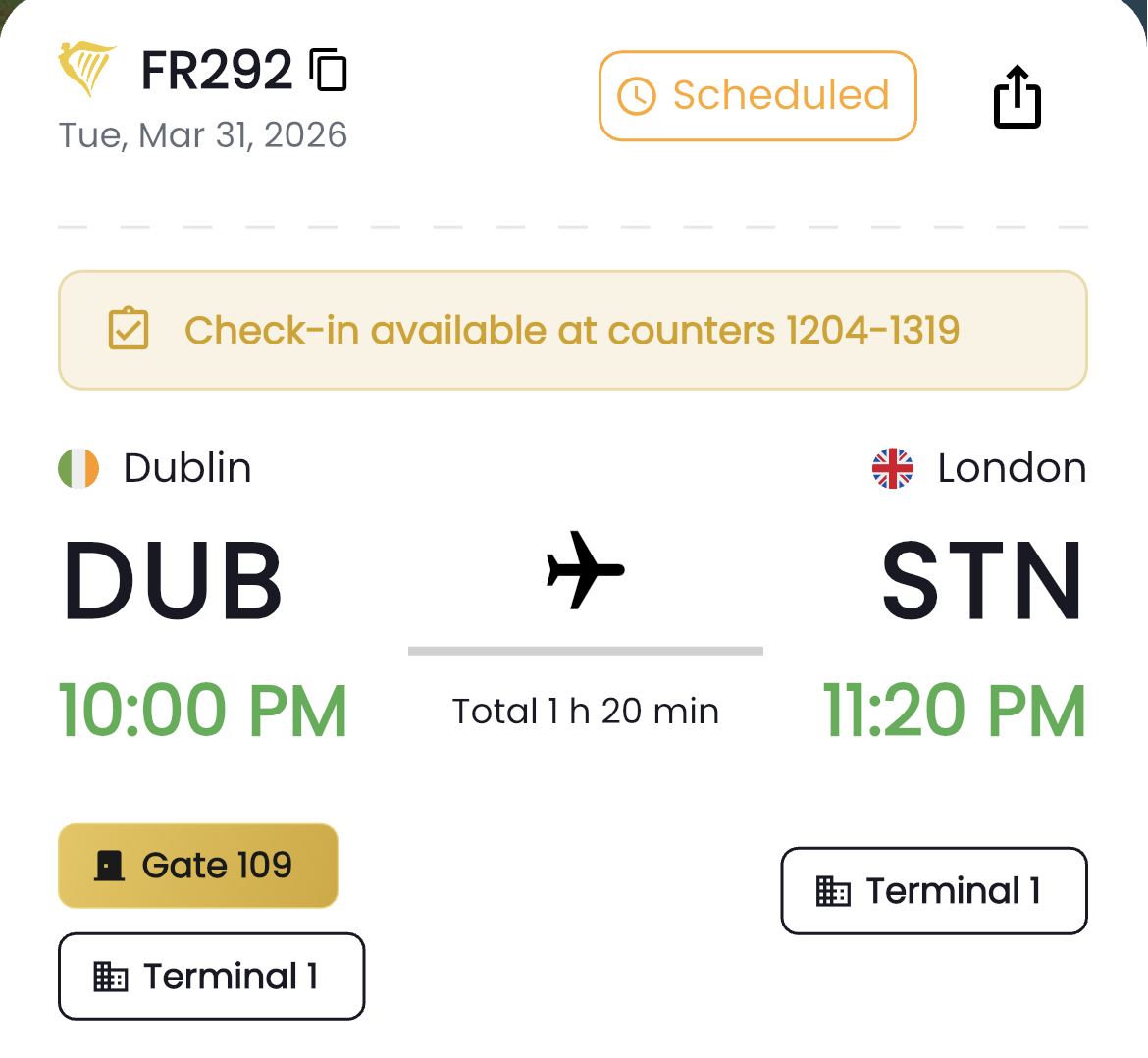
There is a basic tracking option on Flights25, but it doesn’t display aviation activity like Flightradar24. Flights25 takes a narrower focus on your individual travel, keeping you updated about your trip from the moment you sync or upload your flight information until you arrive at the gate at your destination.
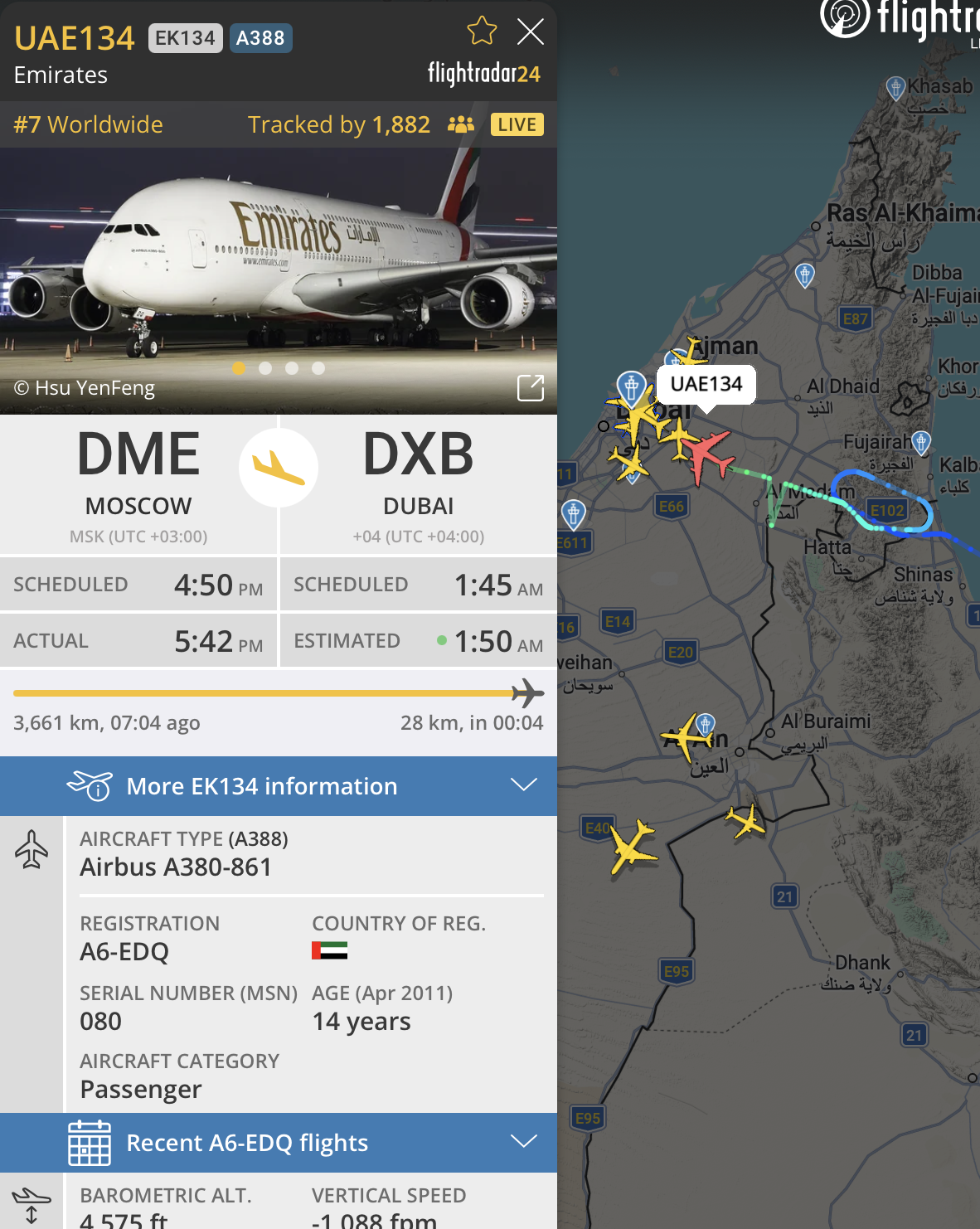
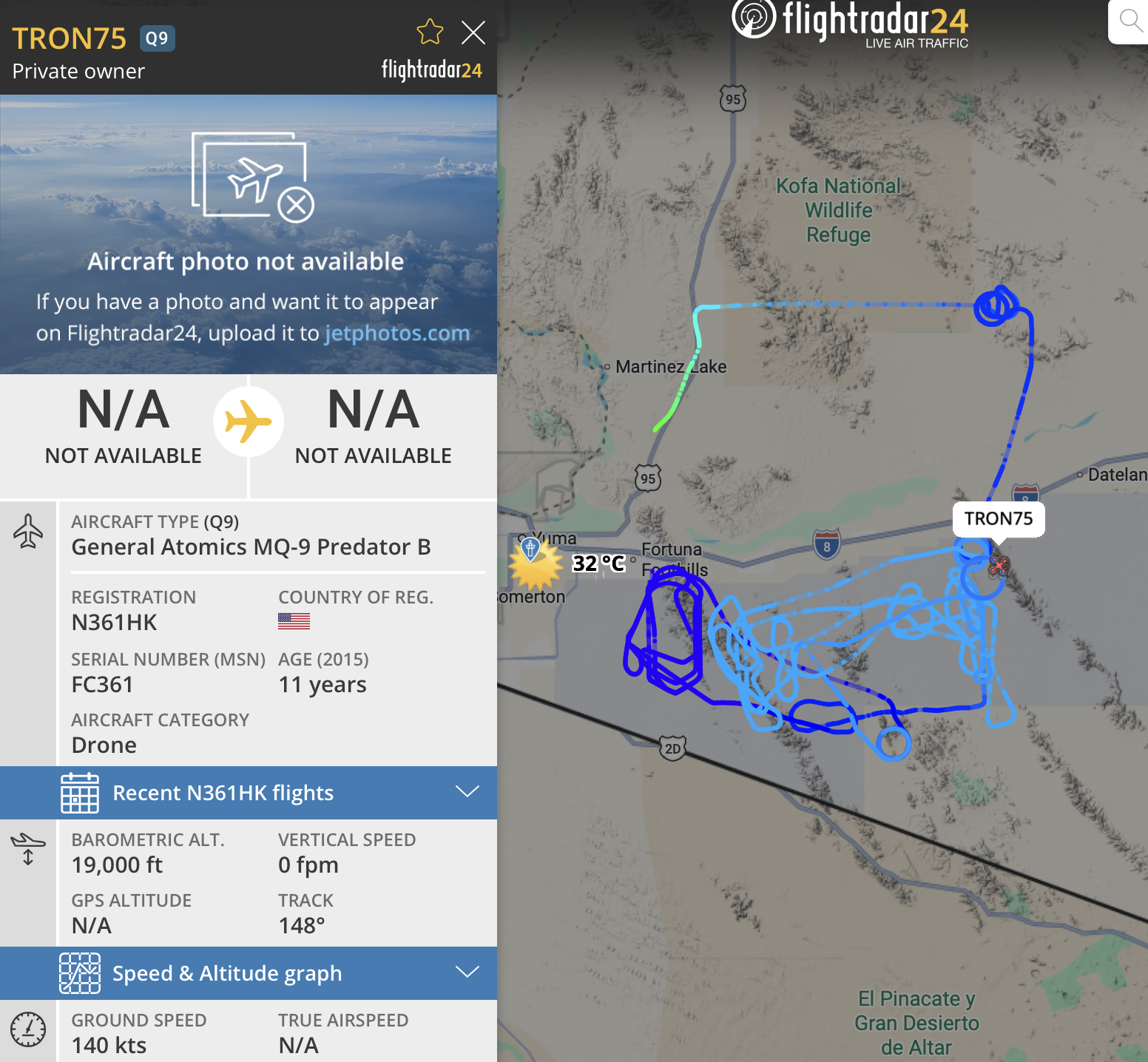
Flightradar24 can’t be beat when it comes to global visibility and activity. That is why Flights25 was created, to narrow in on information that is relevant to your specific flight.
It depends on your personal needs.
If you want to plane spot or explore extensive aviation activity across the globe Flightradar24 is the superior fit. If your needs include access to in-depth data, an interactive map to track flights in real time or see the impacts of severe weather or airspace disruptions, Flightradar24 will be the most suitable app.
If you are looking for a hassle free approach to organize your trip and stay updated about changes, Flights25 is the better option. Flights25 lets you easily sync your flights, start getting updates up to 25 hours ahead of departure time, and get SMS and Live Notifications about delays or gate changes. The app was designed to streamline your personal flight tracking from start to finish.
Try Flights25 to see everything about your flight without the extra guesswork. Download Flights25 from the App Store or get it on Google Play.
See everything about your flight without the extra guesswork